WordPress 7.0 features mark the most significant release in recent memory officially launching Phase 3 of the Gutenberg project with real-time
collaboration, native AI infrastructure, and a completely redesigned admin experience.
The WP AI Client follows the same standardized approach as the WordPress development roadmap, keeping AI providers external to core.
If you are looking to launch a professional WordPress website quickly, explore our education website template or digital marketing agency website template both built on Elementor and ready for WordPress 7.0.
These new elementor kits make it even easier to use our hospital website template and dental website template without requiring any code knowledge.
1. Real-Time Collaborative Editing
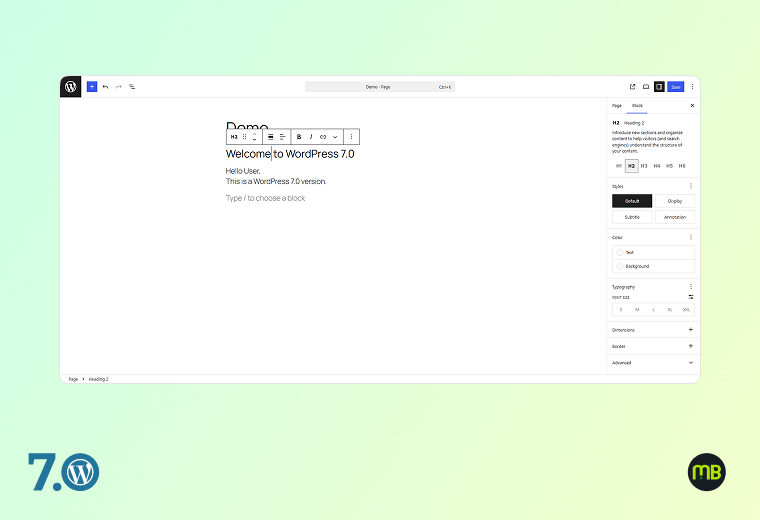
WordPress 7.0 introduces Google Docs-style real-time collaboration directly inside the editor. Multiple users can now edit the same post or page simultaneously, seeing each other’s changes live as they happen.
This is the headline feature of Phase 3 and it’s been years in the making.
Key capabilities included at launch:
- Live syncing of content changes between multiple editors
- Offline editing with automatic data sync when you come back online
- A default HTTP polling sync provider (hosts and plugins can upgrade to WebSocket for faster sync)
- Stabilised Notes system for inline comments and feedback threads within the editor
- Keyboard shortcut to add new notes instantly
At launch, WordPress 7.0 officially supports two users editing the same post simultaneously. More concurrent users are on the roadmap for future releases.
No. Real-time collaboration is built into WordPress 7.0 core. No additional plugin is needed, though it is opt-in during the initial rollout period to allow broad testing.
The offline editing feature automatically saves your changes locally and syncs them back once your connection is restored. No data is lost.
Yes. Notes are internal editorial comments visible only inside the editor by logged-in team members. They are not public-facing comments from site visitors.
Yes. The default HTTP polling sync works everywhere, but your hosting provider or a plugin can enable WebSocket support for near-instant real-time sync especially useful for teams making rapid changes.
2. Built-In AI Client & Web Client AI API
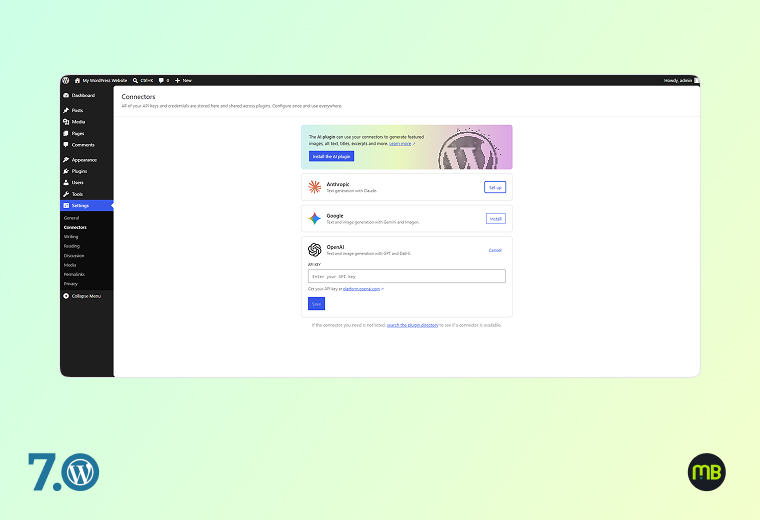
WordPress 7.0 introduces the WP AI Client — a native AI infrastructure layer built directly into WordPress core. This is not a chatbot or a writing assistant. It is a standardised API framework that allows any plugin, theme, or tool to connect to AI models (from any provider — OpenAI, Anthropic, Google Gemini, or others) through a single, consistent interface.
Key components:
- Web Client AI API: A command centre for accessing generative AI models, with providers remaining external to WordPress core
- Abilities and Workflows API: New client-side abilities package with filter and search functionality for abilities, and an improved command palette and UI
- AI Provider Dashboard: Administrators can manage AI provider connections from a centralised settings screen in wp-admin
- Standardised plugin hooks: Any plugin can now tap into AI models without building its own isolated integration
No. WordPress 7.0 introduces AI infrastructure (the WP AI Client API), not a standalone writing assistant. AI writing tools will be built by plugins that use this standardised infrastructure.
The WP AI Client API itself is free and part of WordPress core. However, connecting to an AI provider (like OpenAI) will require an API key and may involve costs based on that provider’s pricing.
Existing plugins will continue to work. As plugin developers update their tools to use the WP AI Client API, they will gain better integration, more consistency, and access to the Abilities and Workflows framework
3. Redesigned Admin Dashboard & Visual Revisions
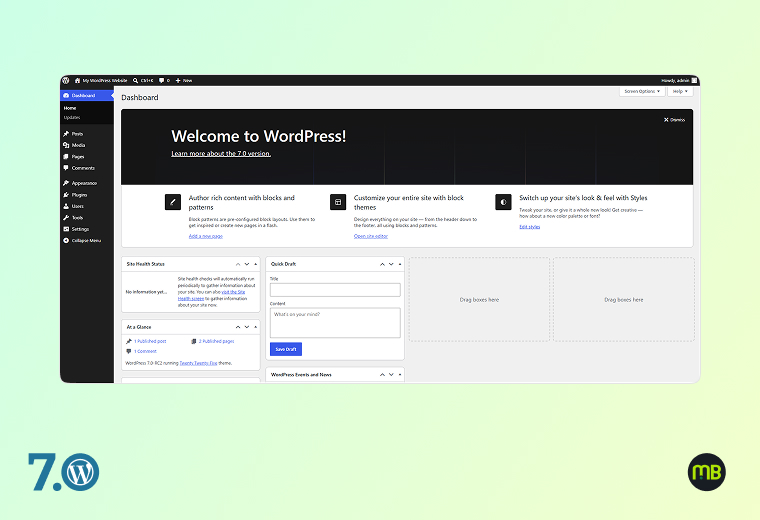
The WordPress admin dashboard receives its most significant visual refresh in years in 7.0:
- Fresh default colour scheme and updated default styling throughout wp-admin
- Smoother screen transitions with cross-document view transitions for seamless navigation
- DataViews replaces WP List Tables — the old table-based content lists are replaced with a modern, app-like interface that feels closer to Notion or Airtable than a 2008 admin panel
- Visual Revisions: Side-by-side visual comparison of page/post revision versions directly inside the editor — no more trying to read raw text diffs
- Command Palette shortcut in the Omnibar — a visible Cmd+K / Ctrl+K shortcut visible on every page in wp-admin gives instant access to any tool, post, page, or setting without navigating menus
- Font Library enabled universally — now available for all themes, so editors can always browse, install and manage fonts regardless of theme support
Most admin plugins will continue working. However, plugins that heavily customise the WP List Tables UI may need updates to work with DataViews. Check for updated versions after the 7.0 launch.
The Command Palette (Cmd+K on Mac, Ctrl+K on Windows) is a search-driven shortcut launcher built into wp-admin. You can type any command — publish a post, go to settings, create a new page — and execute it instantly without navigating menus.
Visual Revisions let you see a rendered visual comparison of two versions of a post or page side-by-side. This makes it easy to spot design changes, formatting shifts, or copy edits that might not be obvious in a text-only diff.
DataViews is a modern replacement for the classic WordPress content list tables (posts list, pages list, etc.). It offers a more flexible, app-like interface with better filtering, sorting, and bulk editing capabilities making content management much more efficient.
4. New & Enhanced Blocks for Content Design
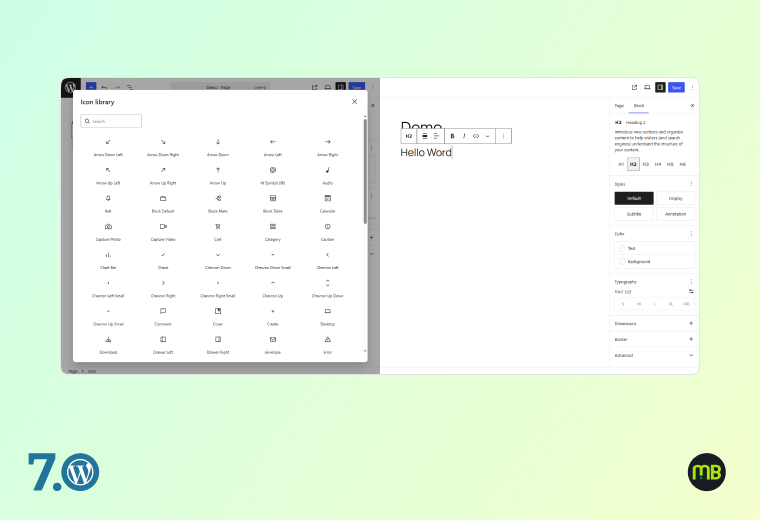
WordPress 7.0 ships with several new native blocks and major enhancements to existing ones — directly reducing your dependency on page builder plugins for common design needs:
New Blocks:
- Icons Block — Insert scalable vector icons natively, no plugin required
- Breadcrumbs Block — Create SEO-friendly navigation trails without plugins
- Heading Block Variations — New heading styles and variation options
Enhanced Blocks:
- Cover Block — Now supports video embed backgrounds (put a video directly behind your content)
- Gallery Block — Improved lightbox support for a polished image viewing experience
- Grid Block — Now fully responsive-enabled with mobile controls
- Navigation Block — More powerful and user-friendly: create mobile-friendly menus, preview changes in real time, manage links with improved overlays
Responsive Controls:
- Hide or reveal any block based on screen size (desktop/tablet/mobile) — native in core, no plugin needed
Client-Side Media Handling:
- Image and video processing now happens in the browser before upload, reducing server load and speeding up media workflows
For many use cases, 7.0’s native blocks now cover what previously required a page builder. However, if you rely heavily on advanced layout templates, global widgets, or specific visual features from those tools, they remain valid options and are compatible with 7.0.
In the block settings panel (right sidebar), you’ll find a new “Visibility” option under “Advanced.” Toggle visibility on/off per device type for any block.
No. The video background option is a new setting you add to existing or new Cover Blocks. Your current Cover Blocks remain unchanged until you edit them.
Yes. The native Breadcrumbs Block generates proper HTML breadcrumb markup that is compatible with Google’s structured data guidelines, supporting BreadcrumbList schema.
5. PHP-Only Block Registration & Developer APIs
For developers and technically-minded site owners, WordPress 7.0 ships a suite of powerful new APIs that significantly change how WordPress is extended:
- PHP-Only Block Registration: Developers can now register blocks using only PHP, with auto-generated inspector controls in the editor — no JavaScript required for basic block creation
- Block Bindings Updates for Pattern Overrides: Expanded support to custom dynamic blocks, giving much greater flexibility in how synced patterns work with dynamic content
- Client Side Abilities API: A standardised client-side registry for WordPress capabilities, enabling richer workflows that can be triggered, filtered, and searched
- PHP minimum raised to 7.4 (8.3+ recommended for best performance)
Yes. WordPress 7.0 requires a minimum of PHP 7.4. Sites running PHP 7.2 or 7.3 will not automatically receive the 7.0 update. Check your PHP version in your hosting control panel and upgrade with your host before updating WordPress.
PHP 8.3 or higher is recommended for optimal performance with WordPress 7.0.
Existing custom blocks are unaffected. PHP-only block registration is a new option for building blocks — it doesn’t change how existing JavaScript-registered blocks work.
Block Bindings allow a block’s content to be connected (“bound”) to a dynamic data source — like a custom field or an ACF value. Pattern overrides via Block Bindings mean you can have a reusable template layout where the content updates dynamically per post, without duplicating patterns.